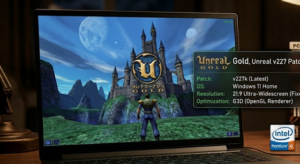
Unreal Gold is a classic first-person shooter that has captivated gamers since its release. However, players often encounter frustrating issues when trying to run it on modern systems, especially low-end PCs. Despite its age, the game offers an immersive experience that many still cherish. With the right fixes, you can enjoy Unreal Gold without the typical hurdles.
Why This Happens?
The main issues arise due to the games outdated architecture and compatibility problems with newer operating systems like Windows 10 and 11. Additionally, players using integrated graphics may face performance limitations, leading to crashes or graphical glitches. These problems stem from:
- Old DirectX compatibility issues.
- Insufficient system resources, especially RAM and GPU capabilities.
- Incompatibility with modern operating systems.
Step-by-Step Fix
To resolve these issues, you can use the Unreal v227 Patch developed by the OldUnreal Team. Follow these steps to install the patch:
- Download the Unreal v227 Patch: Use the link provided on this page to download the tool safely and officially.
- Extract the Files: Once downloaded, extract the contents of the patch to a folder on your computer.
- Locate Your Unreal Gold Installation: Navigate to the directory where Unreal Gold is installed on your PC.
- Copy Patch Files: Move the extracted patch files into the Unreal Gold installation folder, replacing any existing files when prompted.
- Launch the Game: Start Unreal Gold and check if the issues have been resolved.
Optimization for Low-End PCs
If youre running Unreal Gold on a low-end PC, consider adjusting your graphics settings to improve performance:
- Set graphics quality to Low or Medium.
- Disable unnecessary visual effects.
- Lower the resolution if necessary to stabilize FPS.
Conclusion
With these steps, you should be able to fix Unreal Gold and enjoy the game without interruptions. If you encounter any other issues or have questions, feel free to share your experience in the comments below!
Comments