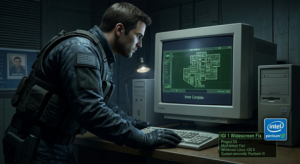
Playing Project IGI 1 can be a nostalgic experience, but many players encounter widescreen issues that can detract from the enjoyment. Despite its age, this tactical shooter remains a classic, offering intense gameplay and strategic challenges. However, running it on modern systems like Windows 10 or Windows 11 can lead to frustrating display problems.
Why This Happens?
The widescreen issues in Project IGI 1 primarily stem from its outdated graphics engine, which was not designed for modern resolutions. This can lead to distorted visuals and an inability to utilize widescreen displays effectively. The game relies on older DirectX versions, which may not be fully compatible with the latest operating systems, causing these graphical anomalies.
Step-by-Step Fix
To resolve the widescreen issues in Project IGI 1, you can use the IGI 1 Widescreen Fix developed by ThirteenAG. Follow these steps:
- Download the IGI 1 Widescreen Fix: Use the link provided on this page to download the tool. It is safe and officially supported.
- Extract the Files: Once downloaded, extract the contents of the zip file to a location of your choice.
- Locate the Game Directory: Find the installation folder of Project IGI 1 on your computer.
- Copy the Files: Move the extracted files into the game directory.
- Run the Game: Launch Project IGI 1 and enjoy the enhanced widescreen experience!
Optimization
If youre playing on a Low-End PC, consider adjusting the graphics settings to improve performance:
- Set resolution to 800×600 or 1024×768.
- Lower texture quality to Medium.
- Disable shadows and other advanced effects.
These adjustments can help stabilize FPS and provide a smoother gaming experience.
Conclusion
With the IGI 1 Widescreen Fix, you can enjoy Project IGI 1 without the frustration of display issues. If you encounter any other problems or have tips to share, feel free to leave a comment below!
Comments