Why This Happens?
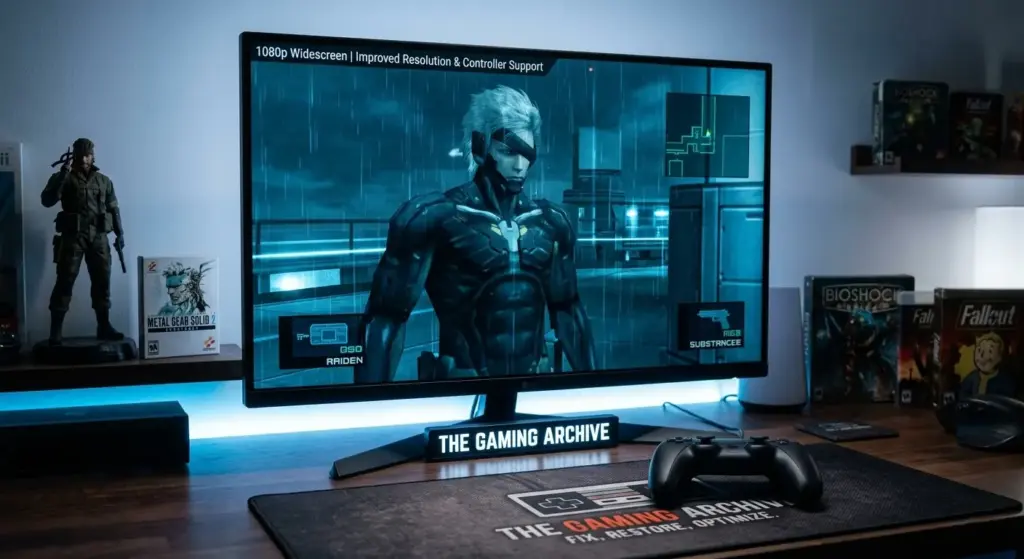
The PC version of Metal Gear Solid 2 was released in 2003, an era of 4:3 CRT monitors and DirectInput controllers. Modern systems use 16:9 or 21:9 displays and XInput for controllers, which the game’s engine simply cannot process. Without a bridge, the game suffers from broken shadows, missing textures on modern GPUs, and “invisible” controller inputs that make the VR missions impossible to complete.
The Fix: Step-by-Step Guide
To fix these issues, we will use V’s Fix (MGS2 V’s Fix) created by the developer VFansss. This all-in-one launcher and patcher fixes the resolution, restores broken textures, and adds native support for modern controllers.
- Step 1: Download V’s FixGo to the official GitHub repository (link at the bottom) and download the latest APP version v1.8.1 installer.
- Step 2: Run the InstallerLaunch the installer and point it to your Metal Gear Solid 2 main directory (where
mgs2.exeis located). - Step 3: Configure ResolutionOpen the new ‘MGS2 V’s Fix’ launcher. Under the ‘Display’ tab, you can now select 1920×1080 or even 4K. Ensure ‘Widescreen Fix’ is checked.
- Step 4: Enable Controller SupportNavigate to the ‘Input’ tab and select your controller type. This will automatically map your triggers and analog sticks correctly for modern play.
Tool Technical Requirements
| Requirement | Specification |
|---|---|
| APP Processor Needed | Dual-core 2.0GHz or better |
| APP RAM Needed | 1GB |
| APP GPU Needed | DirectX 9.0c compatible |
Optimization Settings
For the most authentic and stable experience on modern PCs, use these settings within V’s Fix:
- Anti-Aliasing: 4x (Reduces shimmering in the rain sections).
- Anisotropic Filtering: 16x (Essential for clear floor textures in the Big Shell).
- Shadow Fix: Enabled (Crucial for modern NVIDIA/AMD cards).
Conclusion
Thanks to the incredible work of the modding community, Metal Gear Solid 2 looks and plays better than ever on modern hardware. No more stretched screens or unresponsive controls—just pure tactical espionage action.
Did this fix help you return to the Big Shell? If you’re having trouble with the ‘Substance’ missions or controller mapping, let us know in the comments!
Comments